kubeinvaders
kubeinvaders :space_invader: aka k-inv :joystick:
Gamified Chaos Engineering and Educational Tool for Kubernetes

This project, recommended by the CNCF (https://github.com/cncf/sandbox/issues/124), has a strong following and significant educational value. It’s a chaos engineering tool, but it’s also recommended for studying Kubernetes and resilience topics.
It is part of the Cloud Native Computing Foundation’s (CNCF) landscape in the Observability and Analysis - Chaos Engineering section (https://landscape.cncf.io/).
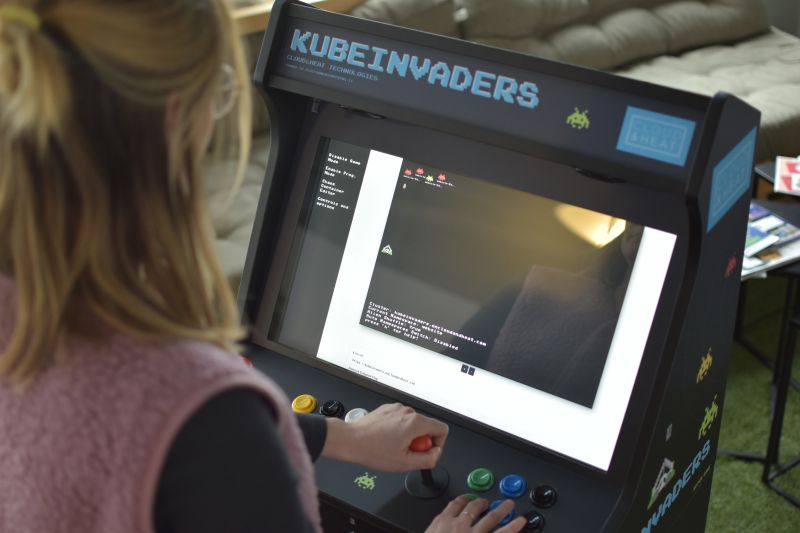
Some companies use it for marketing at tech conferences in DevOps & SRE. For example at 𝗗𝗲𝗰𝗼𝗺𝗽𝗶𝗹𝗲𝗗 𝟮𝟬𝟮𝟱
The teams at Platform Engineering (https://platformengineering.it/) and GDT - Garanti Del Talento (https://www.garantideltalento.it/) back this project. They provide enterprise-grade features and SRE experts to help customers verify the resilience of their Kubernetes infrastructure.
Here are the slides (https://www.slideshare.net/EugenioMarzo/kubeinvaders-chaos-engineering-practices-for-kubernetes1pdf) from the Chaos Engineering speech I prepared for FOSDEM 2023. Unfortunately, I couldn’t be present at my talk, but I still wanted to share them with the community.”
Table of Contents
- Description
- Usage
- URL Monitoring During Chaos Session
- Persistence
- Generic Troubleshooting & Known Problems
- Troubleshooting Unknown Namespace
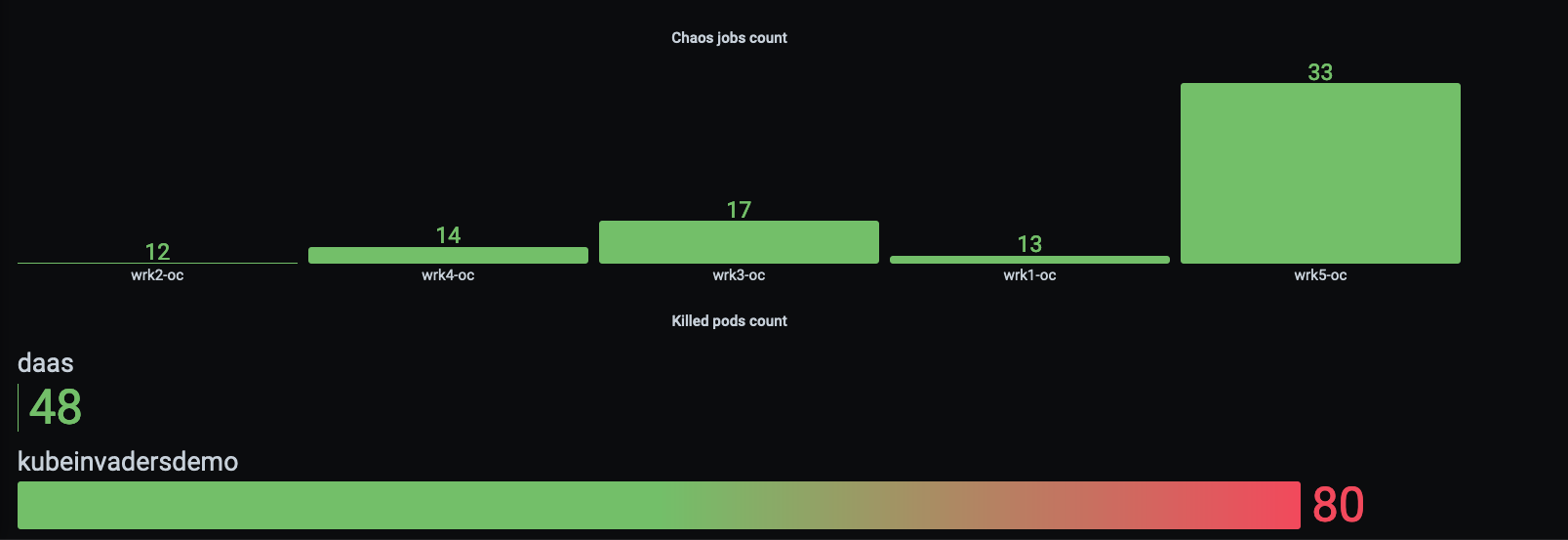
- Metrics
- Community
- Community blogs and videos
- License
Description
Inspired by the classic Space Invaders game, Kubeinvaders offers a playful and engaging way to learn about Kubernetes resilience by stressing a cluster and observing its behavior under pressure. This open-source project, built without relying on any external frameworks, provides a fun and educational experience for developers to explore the limits and strengths of their Kubernetes deployments
Installation-default
Helm installation is currently not supported.
The easiest way to run KubeInvaders is directly with Podman or Docker.
Run with Podman:
podman run -p 8080:8080 docker.io/luckysideburn/kubeinvaders:latest
Run with Docker:
docker run --rm -p 8080:8080 docker.io/luckysideburn/kubeinvaders:latest
Then open:
http://localhost:8080
If you want to run KubeInvaders against your own Kubernetes cluster, create the required RBAC components (assumes k8s v1.24+):
Create the required components (assumes k8s v1.24+):
cat << 'EOF' | kubectl apply -f -
apiVersion: v1
kind: Namespace
metadata:
  name: kubeinvaders
---
apiVersion: rbac.authorization.k8s.io/v1
kind: ClusterRole
metadata:
  name: kinv-cr
rules:
  - apiGroups:
      - ""
    resources:
      - pods
      - pods/log
    verbs:
      - delete
  - apiGroups:
      - batch
      - extensions
    resources:
      - jobs
    verbs:
      - get
      - list
      - watch
      - create
      - update
      - patch
      - delete
  - apiGroups:
      - "*"
    resources:
      - "*"
    verbs:
      - get
      - watch
      - list
---
apiVersion: v1
kind: ServiceAccount
metadata:
  name: kinv-sa
  namespace: kubeinvaders
---
apiVersion: rbac.authorization.k8s.io/v1
kind: ClusterRoleBinding
metadata:
  name: kinv-crb
roleRef:
  apiGroup: rbac.authorization.k8s.io
  kind: ClusterRole
  name: kinv-cr
subjects:
  - kind: ServiceAccount
    name: kinv-sa
    namespace: kubeinvaders
---
apiVersion: v1
kind: Secret
type: kubernetes.io/service-account-token
metadata:
  name: kinv-sa-token
  namespace: kubeinvaders
  annotations:
    kubernetes.io/service-account.name: kinv-sa
---
apiVersion: rbac.authorization.k8s.io/v1
kind: ClusterRole
metadata:
  namespace: default
  name: kubevirt-vm-restart-role
rules:
- apiGroups: ["subresources.kubevirt.io"]
  resources: ["virtualmachines/restart"]
  verbs: ["update"]
---
apiVersion: rbac.authorization.k8s.io/v1
kind: ClusterRoleBinding
metadata:
  name: kubevirt-vm-restart-binding
  namespace: default
subjects:
- kind: ServiceAccount
  name: kubeinvaders
  namespace: kubeinvaders
roleRef:
  kind: ClusterRole
  name: kubevirt-vm-restart-role
  apiGroup: rbac.authorization.k8s.io
EOF
Extract the token:
TOKEN=$(k get secret -n kubeinvaders -o go-template='' kinv-sa-token)
Important: use a valid Kubernetes token. If the token is missing, invalid, or expired, KubeInvaders cannot call the Kubernetes API and game actions will fail.
The example above shows how to extract the token from kinv-sa-token. If you use short-lived tokens, generate a new one when needed:
kubectl create token kinv-sa -n kubeinvaders --duration=8h
Create two namespaces:
kubectl create namespace namespace1
kubectl create namespace namespace2
Usage
Start The Chaos Experiment
Press the “Start” button to initiate the automatic pilot (the button changes to “Stop” to disable this feature).
Enable Shuffle :joystick:
Press the “Enable Shuffle” button to randomly rearrange the positions of pods or K8s nodes (the button changes to “Disable Shuffle” to deactivate this feature).
Enable Auto Jump Between Namespace :joystick:
Press the “Auto NS Switch” button to randomly switch between namespaces (the button changes to “Disable Auto NS Switch” to deactivate this feature).
Show / Hide Pods Name :joystick:
Press the “Hide Pods Name” button to conceal the names of the pods beneath the aliens (the button changes to “Show Pods Name” to deactivate this feature).
Information about Current Status and Events :joystick:
As described below, on the game screen near the spaceship, there are details about the current cluster, namespace, and some configurations.
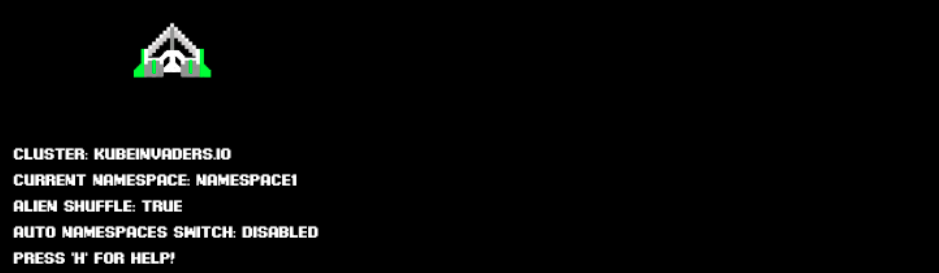
Under the + and - buttons, a bar appears with the latest game events.

Show Special Keys :joystick:
Press ‘h’ or select ‘Show Special Keys’ from the menu.
Zoom In / Out :joystick:
Press the + or - buttons to increase or decrease the game screen.
Chaos Containers for Master and Worker Nodes
-
Select “Show Current Chaos Container for Nodes” from the menu to see which container starts when you attack a worker node (not an alien, they are pods).
-
Select “Set Custom Chaos Container for Nodes” from the menu to use your preferred image or configuration against nodes.
URL Monitoring During Chaos Session
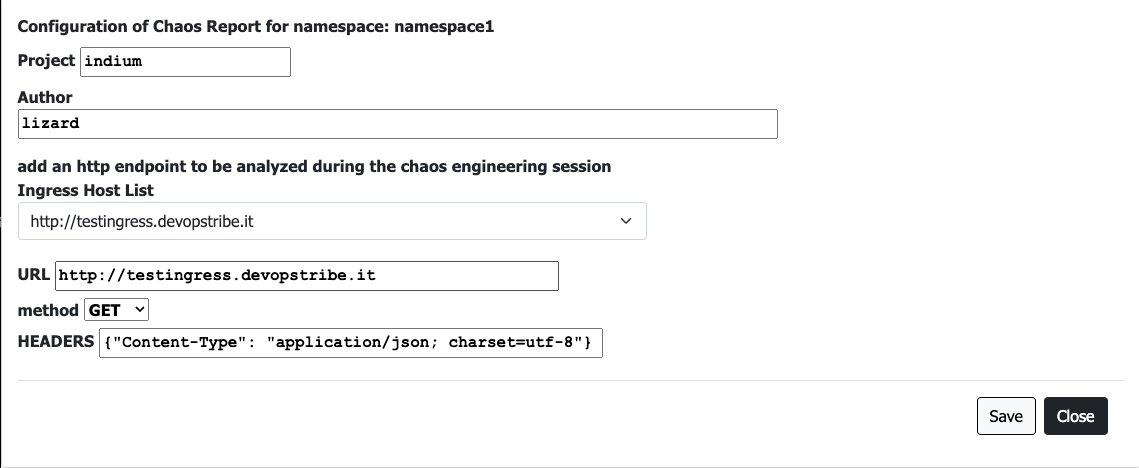
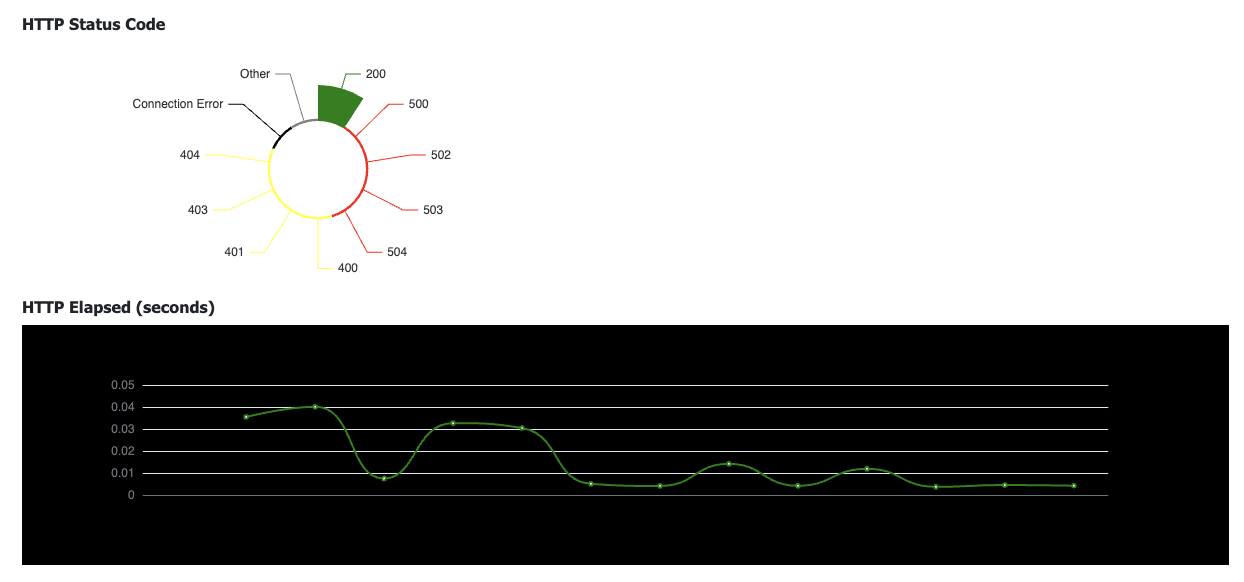
During a chaos engineering session, you can monitor the behavior of an HTTP call exposed by an Ingress.
Use the flag “Add HTTP check & Chaos Report” and add the URL to monitor
Follow real time charts during the experiment
Persistence
K-inv uses Redis to save and manage data. Redis is configured with “appendonly.”
The legacy Helm chart does not support PersistentVolumes.
Generic Troubleshooting and Known Problems
- If you don’t see aliens, please follow these steps:
- It seems that KubeInvaders does not work with EKS due to problems with ServiceAccount.
- Currently, the installation of KubeInvaders into a namespace that is not named “kubeinvaders” is not supported.
- I have only tested KubeInvaders with a Kubernetes cluster installed through KubeSpray.
- If you don’t see aliens, please follow these steps:
- Open a terminal and run “kubectl logs
-n kubeinvaders -f" - Execute the following command from another terminal:
curl "https://<your_kubeinvaders_url>/kube/pods?action=list&namespace=namespace1" -k - Open an issue with attached logs.
- Open a terminal and run “kubectl logs
- If you use route_host insted of ingress, please specify also the port like route_host: “kubeinvaders.example.com:8080”. The port must be the same of the NodePort service
Troubleshooting Unknown Namespace
- Check if the namespaces configured in the UI (for example: namespace1,namespace2) exist and contain pods.
- Check your browser’s developer console for any failed HTTP requests (send them to luckysideburn[at]gmail[dot]com or open an issue on this repo).
- Try using latest_debug and send logs to luckysideburn[at]gmail[dot]com or open an issue on this repo.
Prometheus Metrics
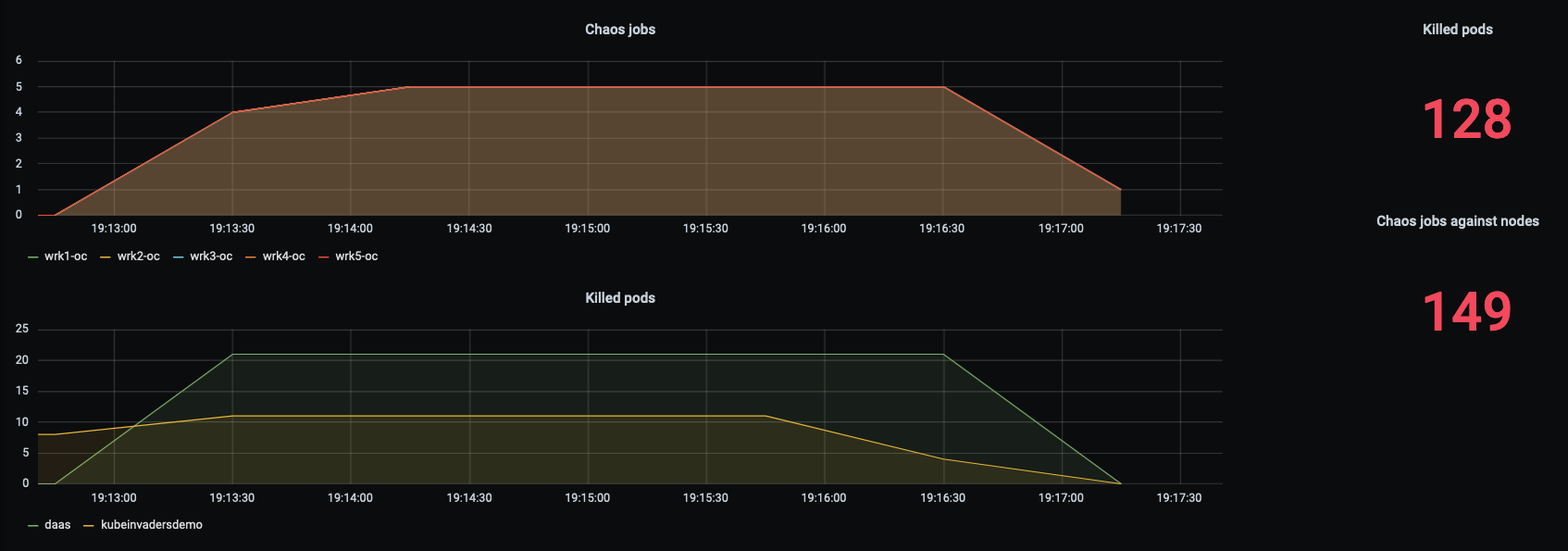
KubeInvaders exposes metrics for Prometheus through the standard endpoint /metrics.
Here is an example of Prometheus configuration:
scrape_configs:
- job_name: kubeinvaders
  static_configs:
  - targets:
    - kubeinvaders.kubeinvaders.svc.cluster.local:8080
Example of metrics:
| Metric | Description |
|---|---|
| chaos_jobs_node_count{node=workernode01} | Total number of chaos jobs executed per node |
| chaos_node_jobs_total | Total number of chaos jobs executed against all worker nodes |
| deleted_pods_total 16 | Total number of deleted pods |
| deleted_namespace_pods_count{namespace=myawesomenamespace} | Total number of deleted pods per namespace |
Community
Please reach out for news, bugs, feature requests, and other issues via:
- On Twitter: @kubeinvaders & @luckysideburn
- New features are published on YouTube too in this channel
Community blogs and videos
- The Kubernetes ecosystem is a candy store
- AdaCon Norway Live Stream
- LILiS - Linux Day 2023 Benevento
- Kubernetes.io blog: KubeInvaders - Gamified Chaos Engineering Tool for Kubernetes
- acloudguru: cncf-state-of-the-union
- DevNation RedHat Developer: Twitter
- Flant: Open Source solutions for chaos engineering in Kubernetes
- Reeinvent: KubeInvaders - gamified chaos engineering
- Adrian Goins: K8s Chaos Engineering with KubeInvaders
- dbafromthecold: Chaos engineering for SQL Server running on AKS using KubeInvaders
- Pklinker: Gamification of Kubernetes Chaos Testing
- Openshift Commons Briefings: OpenShift Commons Briefing KubeInvaders: Chaos Engineering Tool for Kubernetes
- GitHub: awesome-kubernetes repo
- William Lam: Interesting Kubernetes application demos
- The Chief I/O: 5 Fun Ways to Use Kubernetes
- LuCkySideburn: Talk @ Codemotion
- Chaos Carnival: Chaos Engineering is fun!
- Kubeinvaders (old version) + OpenShift 4 Demo: YouTube_Video
- KubeInvaders (old version) Vs Openshift 4.1: YouTube_Video
-
Chaos Engineering for SQL Server Andrew Pruski Conf42: Chaos Engineering: YouTube_Video - nicholaschangblog: Introducing Azure Chaos Studio
- bugbug: Chaos Testing: Everything You Need To Know
- Kinetikon: Chaos Engineering: 5 strumenti open source
License
KubeInvaders is licensed under the Apache License, Version 2.0. See LICENSE for the full license text.